
Find your invoices
Open Billing or Invoices in the customer portal. Every invoice from connected providers appears with status, balance, and due date when your provider sets one.
Review and pay an open invoice
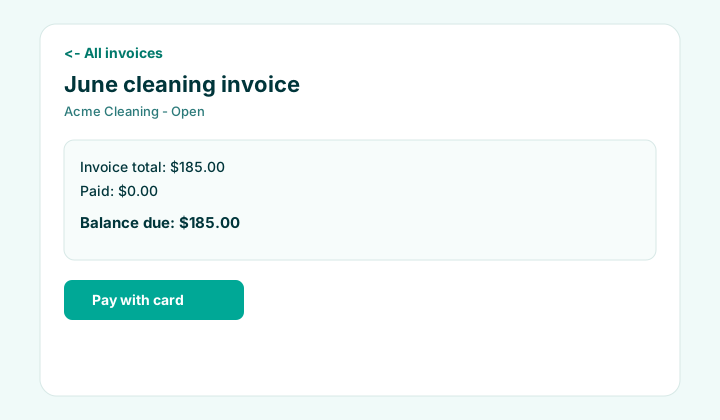
Open an invoice to see the total, amount paid, and balance due. If your provider completed Stripe Connect setup, Pay with card starts a secure checkout for the remaining balance.
- Some providers also link a hosted Stripe invoice or PDF — use those links when shown.
- Promo codes and account wallet credit appear on the invoice when your provider enables promotions.
- After payment, status and balance update when checkout completes successfully.
Payment history
The invoice detail page lists recorded payments (card, check, cash, and other methods your provider logs). Contact your provider if a payment is missing or looks incorrect.
Card pay requires your cleaning company to finish online payment setup. If you do not see Pay with card, message them or pay using their usual offline method.
FAQ
Is my card charged by Clean Scheduler?
No. Card payments go to your cleaning provider through their connected Stripe account. Clean Scheduler provides the portal and checkout flow.
Can I pay part of an invoice?
Online checkout pays the current balance due shown on the invoice. Partial offline payments are recorded by your provider in their system.